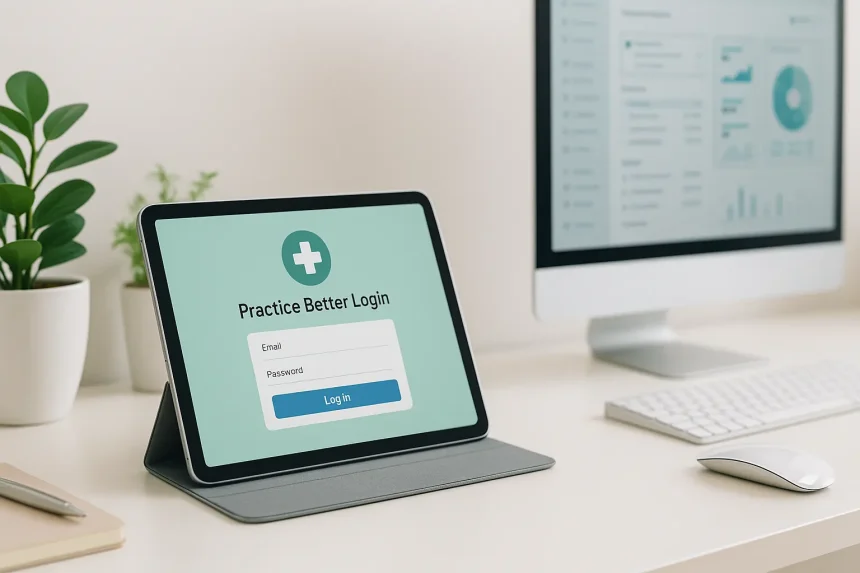
Practice Better is an all-in-one, cloud-based platform built for health and wellness professionals. It supports dietitians, nutritionists, therapists, naturopaths, functional medicine practitioners, health coaches, and multi-practitioner clinics. The system brings scheduling, EHR features, billing, telehealth, programs, and client communication into one place.
The term practice better login simply refers to how users access the platform:
- Practitioners log into the Practice Better dashboard to manage their practice.
- Clients log into the client portal to view appointments, programs, messages, and billing.
Both logins use secure, cloud-based authentication across web and mobile apps.
Official Practice Better Login Pages and Apps
Here are the correct and official access points:
- Practitioner Web App
Go to practicebetter.io and click Sign in. This opens the main practitioner login page. - Client Portal Login
Direct login URL: https://client.practicebetter.io/#/signin
Clients use this to access programs, messages, forms, sessions, and invoices. - Mobile Apps (iOS & Android)
Search for Practice Better in the App Store or Google Play. Both practitioners and clients use the same app but see different dashboards based on their account type.
Always verify the developer name: Practice Better Inc. Using only official domains and app listings helps protect PHI and account security.
Practitioner Login: Creating and Accessing Your Account
Creating a Practitioner Account
To start a new account:
- Visit practicebetter.io
- Select Start free trial or choose a plan
- Provide your name, email, password, and practice details
- The 14-day trial does not require a credit card
Practitioner Login Steps
- Open practicebetter.io
- Click Sign in
- Enter your registered email and password
- Access your practitioner dashboard
Clinics with multiple practitioners can use shared organizational accounts with role-based permissions for assistants, associates, and administrators.
Client Login: Activating and Using the Client Portal
Activation for New Clients
Clients cannot create accounts on their own. Instead:
- The practitioner sends a client invitation email
- The client clicks the activation link
- A page opens to create a password and accept terms
- The client gains access to their portal
Client Login Steps
After activation:
- Visit https://client.practicebetter.io/#/signin
- Enter email and password
- Access appointments, tasks, sessions, and billing
Clients may also log in through links placed on their practitioner’s website or embedded Practice Better widgets.
Logging Into Practice Better on Mobile Apps
How to Log In
- Install the Practice Better app from App Store or Google Play
- Open the app
- Enter your Practice Better email and password
- Access all synced data from the web dashboard
What Practitioners See in the App
- Client records
- Calendar and upcoming sessions
- Secure messaging
- Telehealth video calls
- Notes, tasks, and checklists
- Billing and invoices
What Clients See in the App
- Appointment booking
- Video session links
- Messaging
- Food/mood/lifestyle journals
- Program content
- Resources and invoices
What Practitioners Can Do After Logging In
Once a practitioner completes their practice better login, they can:
- Manage scheduling, online booking, and telehealth appointments
- Create and complete notes with templates
- Share documents, protocols, and e-sign forms
- Conduct video sessions
- Build and deliver wellness programs/e-courses
- Communicate with clients through secure chat or group messaging
- Send tasks, reminders, and accountability check-ins
- Invoice clients, take payments, and sync accounting
- Connect supplement dispensaries such as Fullscript for protocol management
Practice Better becomes a central workspace for clinical care, coaching, and admin tasks.
Read Also: Aajkitajikhabar.com Business: Model, News Coverage, and Growth Strategy
What Clients Can Do After Logging In
Inside the client portal, clients can:
- View upcoming appointments
- Book, reschedule, or cancel sessions (if allowed)
- Join telehealth sessions
- Complete intake forms, waivers, and check-ins
- Upload files and documents
- Track their mood, food, lifestyle, and habits
- Pay invoices and store payment methods
- Access resources, protocols, and shared programs
The portal supports smooth communication and better treatment adherence.
Integrations and “Login to Integrate” (Practitioners)
Many third-party apps require logging into Practice Better first, then connecting the integration from inside the dashboard.
Example:
Fullscript Integration
Practitioner → Settings → 3rd-Party Integrations → Supplement Dispensaries → Connect Fullscript
Here the practitioner initiates OAuth login to Fullscript, granting secure access.
These integrations rely on secure authentication, so practitioners should connect them only on trusted devices and networks.
Troubleshooting Practice Better Login Issues
Common Client Issues
Email not recognized
The client may not be invited yet. The practitioner must send the invitation.
No activation email
Check spam/junk or request the practitioner to resend.
Google Sign-In not working
Google login only works if the client linked their Google account previously. Otherwise use email and password.
Error -1
A temporary network issue. Switch Wi-Fi/data or use a different browser.
Common Practitioner Issues
- Use Forgot password on the login page
- Confirm correct email and region
- Try another browser or disable temporary extensions
- Contact Practice Better support if issues persist
Read Also: QLink Login: Complete Guide to Q Link Wireless and Other QLink Portals
Security, Privacy, and Compliance Around Practice Better Login
Practice Better is built for healthcare environments and meets major global compliance standards:
- HIPAA
- PIPEDA
- PHIPA
- GDPR
It protects PHI through encrypted login, secure hosting, and strict role-based access.
Security Best Practices
- Use strong, unique passwords
- Avoid shared devices or always log out after use
- Enable screen locks on mobile devices
- Review staff permissions regularly
- Connect integrations only on trusted networks
A secure practice better login is essential for protecting sensitive health information.
Best Practices: Getting the Most from Your Login
For Practitioners
- Log in daily to manage messages, forms, and scheduling
- Automate tasks with templates and workflows
- Train staff and clients to reduce support requests
For Clients
- Update journals consistently
- Use messaging for quick check-ins
- Keep login details secure
- Review programs and tasks regularly
FAQ About Practice Better Login
Where do practitioners log in?
At practicebetter.io → Sign in → enter credentials
How do clients log in?
They use the activation email link first, then log in at:
https://client.practicebetter.io/#/signin
I never received my invitation—what should I do?
Ask your practitioner to resend the activation email.
Can I log in on multiple devices?
Yes, you can access Practice Better on web and mobile using the same credentials.
Is it HIPAA compliant?
Yes, Practice Better supports HIPAA-compliant telehealth, notes, and messaging.
Conclusion
The practice better login process is the gateway for both practitioners and clients to access a secure, unified platform for appointments, telehealth, communication, and wellness programs. Whether logging in through the web dashboard or mobile app, the system is designed to support seamless care delivery while protecting privacy and PHI. By understanding each login method and using the platform’s tools effectively, both practitioners and clients can create a smooth, organized, and supportive wellness experience.